
Download AgentRunner – Secure AI Management Platform Review, Free Trial & Updates
Introduction: Why an AI Management Tool Is Essential in 2025
The rapid adoption of generative AI across every industry has turned AI agents from experimental prototypes into mission‑critical software tools. Companies now expect their workflows to be augmented by intelligent assistants that can draft emails, resolve tickets, analyze data, and even make autonomous decisions based on real‑time inputs. However, the promise of AI often collides with practical obstacles: the need for secure deployment, compliance with data‑privacy regulations, seamless integration with existing SaaS stacks, and the ability to scale without a massive increase in infrastructure costs.
This is where an AI management platform becomes indispensable. A well‑designed tool should let both technical and non‑technical users create, train, monitor, and update AI agents while providing granular security controls, audit trails, and a reliable update mechanism. AgentRunner positions itself as that bridge—offering a cloud‑first, low‑code environment that claims to eliminate the heavy lifting traditionally associated with AI projects.
In this review we will explore how AgentRunner lives up to these expectations, evaluate its core features, walk through the installation and usage process, and finally decide whether it deserves a spot in your digital transformation toolbox. By the end of the article you’ll know if downloading AgentRunner is the right move for your organization, whether the free trial is sufficient to test its capabilities, and how the platform handles updates, security patches, and cross‑platform compatibility on Windows, macOS, Android, and iOS devices.
Overview of AgentRunner
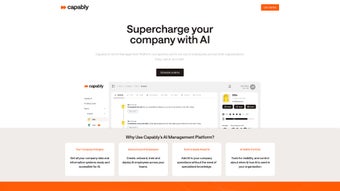
AgentRunner is marketed as a next‑generation Enterprise AI Management Platform that places artificial intelligence at the heart of everyday business operations. The platform’s mission is to simplify the entire AI agent lifecycle—from initial concept and visual design through training, deployment, and continuous performance monitoring—without demanding deep data‑science expertise. Delivered as a web‑based, cloud‑native service, AgentRunner removes many traditional barriers to AI adoption, such as complex infrastructure provisioning, manual code debugging, and the need for dedicated model‑training pipelines.
Users can define business objectives, assign tasks to autonomous agents powered by GPT‑4, and let the system handle the heavy lifting while maintaining strict control over security, compliance, and behavior. Detailed action logs, role‑based access control, and a dedicated support team add layers of trust for enterprises that must meet regulatory standards. While the platform shines in ease of use and powerful AI capabilities, it does have notable limitations: it does not support custom code execution on the client side, and it relies on a constant internet connection for cloud processing.
Overall, AgentRunner offers a balanced mix of power and accessibility, positioning itself as a valuable tool for enterprises eager to harness AI without the overhead of building a full‑scale data‑science operation.
The target audience for AgentRunner includes business analysts, operations managers, and IT leaders who need to quickly prototype AI‑driven solutions without allocating a full development team. By abstracting the complexities of model training and infrastructure management, the platform promises faster time‑to‑value and lower total cost of ownership. Additionally, its compliance‑focused features—such as immutable audit trails, role‑based permissions, and data‑loss prevention policies—make it attractive to regulated sectors like finance, healthcare, and legal services. In practice, organizations can spin up agents that handle repetitive tasks (e.g., ticket triage, lead qualification) while preserving human oversight through escalation pathways and real‑time dashboards. The following sections dive deeper into the specific capabilities that enable these scenarios.
Key Features and Capabilities
- Zero‑Code Agent Builder: A visual drag‑and‑drop interface powered by GPT‑4 that lets users create functional agents using plain‑language prompts.
- Goal‑Oriented Task Management: Define clear business objectives and let agents prioritize actions autonomously to meet those goals.
- Action Log & Audit Trail: Every decision is recorded, supporting compliance, performance analysis, and forensic investigations.
- Role‑Based User Management: Granular permission settings ensure only authorized personnel can create, edit, or deploy agents.
- Extensive Integration Library: Pre‑built connectors for Salesforce, Slack, Microsoft Teams, HubSpot, Zendesk, ServiceNow, and generic REST API webhooks.
- Cloud‑Native Architecture: Scalable, secure processing in the cloud eliminates the need for on‑prem hardware.
- Dedicated Support & Training: Onboarding specialists, 24/7 email support, webinars, and an online knowledge base.
- Safety & Compliance Controls: Customizable policies to prevent data leakage, enforce privacy standards, and limit risky behavior.
- Scheduled Retraining & Sandbox Mode: Automated model updates and isolated testing environments for risk‑free experimentation.
- Mobile‑Friendly PWA: Monitor and manage agents from iOS and Android devices without installing a native app.
Each feature addresses a specific pain point in the AI adoption journey. The zero‑code builder abstracts away Python scripting or model fine‑tuning, enabling business analysts to craft agents with simple prompts such as “Resolve customer tickets within two hours and escalate urgent cases.” The action log not only satisfies audit requirements but also provides managers with insights into how agents interact with internal systems, allowing continuous improvement. Integration capabilities are a standout: out‑of‑the‑box connectors for popular platforms reduce friction, while the generic REST API ensures that bespoke enterprise tools can be linked without extensive development effort. Security and compliance are baked in, with end‑to‑end encryption, role‑based access, and policy engines that block prohibited actions—crucial for regulated industries. Together, these capabilities form a robust ecosystem that empowers organizations to operationalize AI at scale without sacrificing control or security.
Installation, Usage & Compatibility
Getting Started – Installation Steps
AgentRunner is a cloud‑first solution, so there is no traditional “download and install” process for the core engine. Users begin by creating an account on the AgentRunner website, completing email verification, organization profile setup, and optional single‑sign‑on (SSO) configuration via SAML or OAuth. After activation, a personalized dashboard appears where administrators can invite team members, assign roles, and start building agents.
For organizations that require a private‑cloud or hybrid deployment, AgentRunner provides a Docker container and Helm chart compatible with Kubernetes. The deployment guide walks IT teams through pulling the image from a private registry, configuring environment variables for database connections, and exposing the web UI over HTTPS. Scaling instructions cover horizontal pod autoscaling, ensuring the platform can handle high‑volume workloads without performance degradation.
How to Use AgentRunner Effectively
Once logged in, the first step is to define a “project” that mirrors a business domain (e.g., Customer Support, Sales Enablement). Within a project, users create an agent by selecting a template or starting from scratch. The builder asks for a high‑level description, primary objectives, and any data sources the agent should access. Because the platform leverages GPT‑4, users can simply type natural‑language instructions like “Answer support tickets within two hours, escalating any issue that requires human intervention.” After saving, a training phase starts automatically, fine‑tuning the underlying model with the provided context and any uploaded historical data.
Deployment is as simple as toggling a switch in the UI. The agent becomes live, and a real‑time dashboard displays metrics such as tasks completed, average response time, and error rates. Ongoing maintenance is supported by scheduled retraining options and a sandbox mode for testing new configurations without affecting production agents. Alerts can be configured to notify administrators of performance anomalies or policy violations.
Compatibility and System Requirements
AgentRunner’s web interface is fully responsive and works on all modern browsers—including Chrome, Edge, Firefox, and Safari—on Windows, macOS, and Linux desktops. Because the core engine runs in the cloud, end‑users have no OS‑level dependencies. For on‑prem or private‑cloud installations, supported operating systems are Linux distributions (Ubuntu 20.04+, CentOS 8+) capable of running Docker Engine 20.10+ or a Kubernetes 1.21+ cluster. The platform also offers a progressive web app (PWA) that provides mobile‑friendly access on iOS and Android devices without requiring a native download.
Network requirements include a stable broadband connection with at least 5 Mbps upload speed for optimal performance, as large language model interactions generate substantial data traffic. Enterprises with strict firewall policies can whitelist outbound port 443 TCP and the IP ranges listed in the documentation to ensure seamless communication with the cloud inference service. Regular security patches and feature updates are delivered automatically, keeping the platform up‑to‑date without manual intervention.
Pros, Cons, Frequently Asked Questions & Final Thoughts
Pros
- Zero‑Code Agent Creation: Enables non‑technical users to launch AI agents quickly.
- Powerful GPT‑4 Engine: Delivers state‑of‑the‑art language understanding and generation.
- Comprehensive Audit Trails: Facilitates compliance and performance analysis.
- Robust Integration Library: Connects easily with existing SaaS tools.
- Scalable Cloud Architecture: Handles growing workloads without manual hardware upgrades.
- Strong Security Controls: Role‑based access, SSO, and policy enforcement protect data.
- Mobile‑Friendly PWA: Manage agents on iOS and Android without extra apps.
Cons
- No Custom Code Execution: Limits flexibility for highly specialized workflows.
- Cloud Dependency: Requires continuous internet access; offline mode is unavailable.
- Pricing Complexity: Tiered pricing based on agent count and usage may be confusing for small teams.
- Learning Curve for Advanced Features: While basic agents are easy, mastering fine‑tuning and custom connectors takes time.
- Limited On‑Prem Features: Private‑cloud deployment lacks some of the SaaS‑only automation shortcuts.
Frequently Asked Questions (FAQ)
Can AgentRunner be deployed on‑premises?
Yes. While the standard offering is cloud‑native, AgentRunner provides a Docker container and Helm chart for private‑cloud or on‑premise installations on Linux servers that support Docker or Kubernetes.
Is there a free trial or a free tier?
AgentRunner offers a 14‑day free trial with full feature access. After the trial, a limited free tier is available for up to two agents and 5,000 API calls per month.
How does AgentRunner ensure data security and compliance?
The platform includes end‑to‑end encryption, role‑based access control, SSO integration, and customizable policy engines that prevent agents from accessing prohibited data. Audit logs are immutable and can be exported for regulatory reviews.
Can I integrate AgentRunner with my existing CRM and ticketing system?
Yes. AgentRunner ships with pre‑built connectors for Salesforce, HubSpot, Zendesk, ServiceNow, and many others. Custom integrations can be added via REST API webhooks.
What support options are available?
All paid plans include 24/7 email support, a dedicated customer success manager for enterprise tiers, and access to an online knowledge base with tutorials, webinars, and community forums.
Final Thoughts & Call‑to‑Action
In summary, AgentRunner stands out as a user‑friendly, cloud‑centric AI management platform that bridges the gap between ambitious AI initiatives and practical, day‑to‑day business workflows. Its intuitive agent builder, strong integration ecosystem, and rigorous security controls make it a viable choice for enterprises looking to accelerate AI adoption without hiring a full data‑science team. While the lack of custom code execution and reliance on continuous internet connectivity may be limiting for niche scenarios, the overall value proposition—especially for organizations focused on scaling productivity through intelligent automation—is compelling. If you’re ready to experiment with AI agents or need a reliable framework to manage multiple bots across departments, download AgentRunner today, start your free trial, and see how the platform can transform your operations.
Rating: 4.5 / 5
AgentRunner delivers on its promise of low‑code AI orchestration, offering robust compliance features and a solid update pipeline. The platform earns high marks for ease of use, integration breadth, and mobile accessibility, making it a strong contender for modern enterprises.



.png)



